Peering Asia Meeting Tool
The Meeting Tool enabled Peering Asia attendees to schedule 30 minutes meeting with conference attendees during the event. The meeting table is randomly assigned to the meeting.
Once the attendee has completed the ticket registration (after the registration fee is paid), they will receive a Meeting Tool activation email when it’s activated for the attendees. The activation email sender address is md at peeringasia dot net, make sure you have whitelisted the email address because it will be used for meeting schedule notifications.
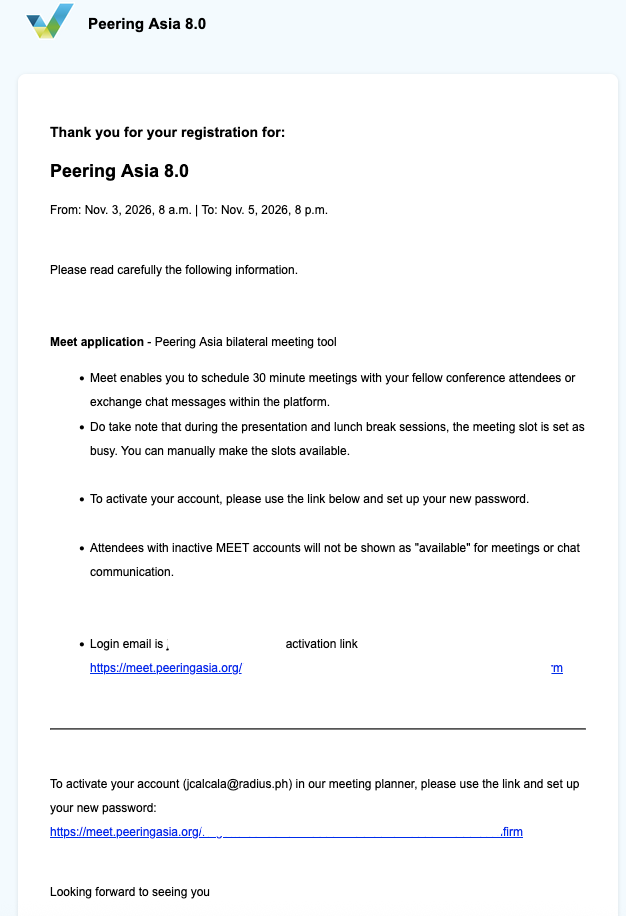
Activation Email
You will receive activation email once the meeting tools is ready for attendees with subject line [Meet] Peering Asia 8.0 | Event invite
Once you receive the email, you may follow the email link to activate the email and set your password.
Meeting Slots
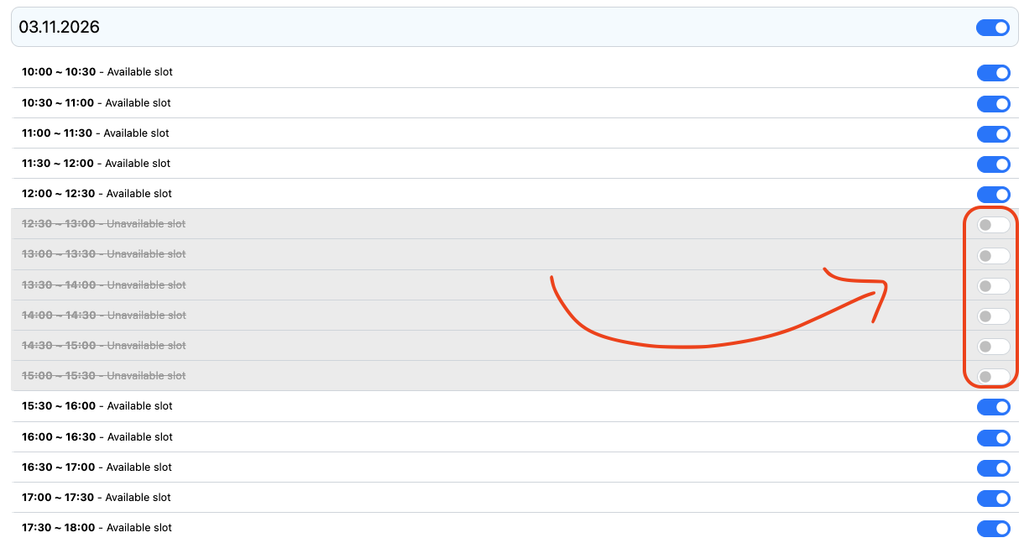
30-minute meeting slots will be pre-configured for the attendees. By default, during opening and conference talks the slot will be mark as BUSY, attendee can toggle to available if they would like to allow meeting to be scheduled during Opening and Talk sessions.
Meeting Location
The meeting table location is auto-assigned by the tool randomly. If the user create a “custom location”, the user is required to coordinate / arrange the location for the meeting.
Some sponsors will have a private room assigned; the assigned room is bound to the email address of the sponsor’s corporate address.
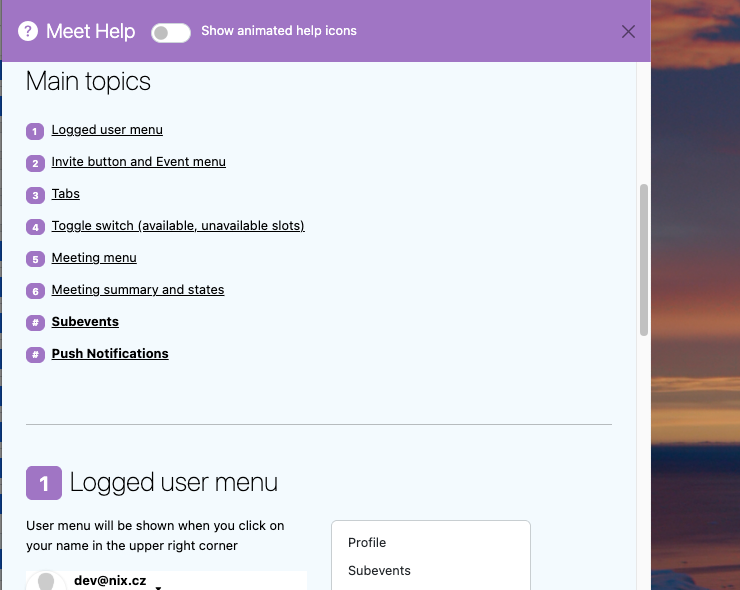
Meeting Tool Complete User Guide / Manual
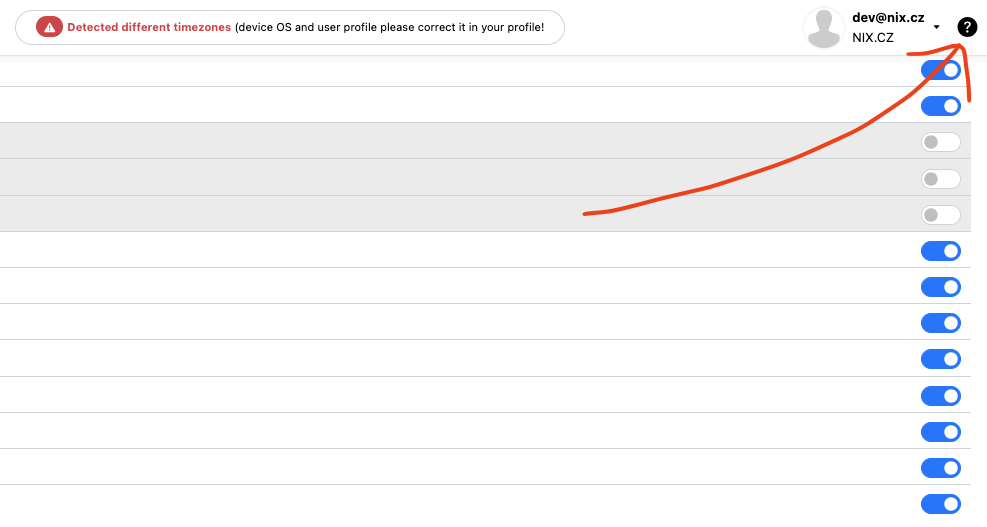
For the complete user guide/manual, you may refer to the help menu in the top right corner of the Meeting Tool page.